

Editing piles of live streaming materials every day, isn’t the most frustrating thing the sudden appearance of lightboards? The content you worked so hard to shoot becomes cluttered because of a few lightboards. Cutting them might disrupt the video rhythm, while not cutting them might cause the video to fail platform reviews—this is probably a common annoyance for many live streaming creators.
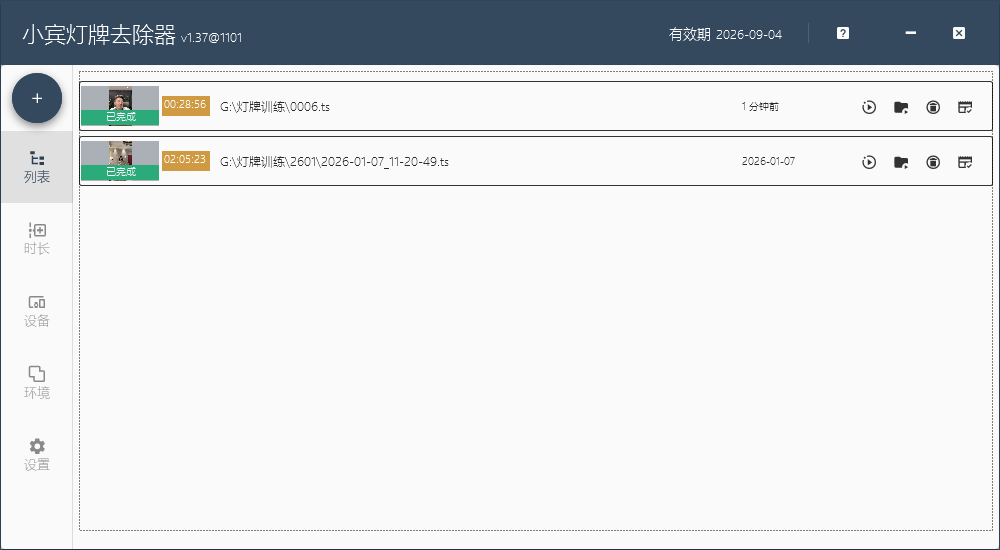
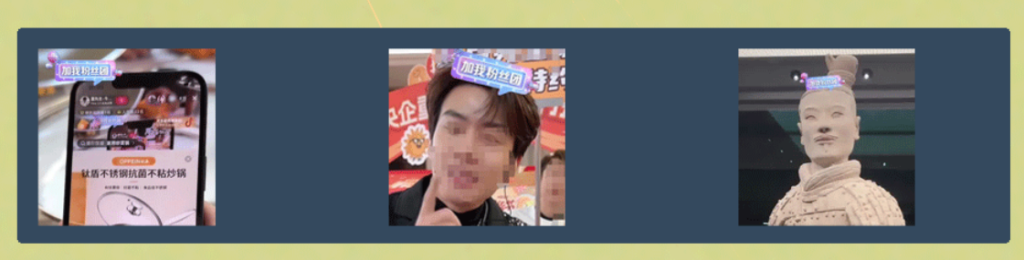
Recently, many friends have chatted with us in the background: “It would be great if we could directly use AI to repair lightboards instead of cutting clips!” Every time we see such messages, we are particularly moved, because it shows that everyone is seriously using Xiaobin Lightboard Remover Tool and is willing to share real creative needs with us. In fact, our R&D team has long noticed this idea of “AI lightboard restoration” and has been repeatedly polishing and testing it for a long time.
Today, we want to talk to everyone frankly: this function cannot be realized for the time being. It’s not that we don’t want to do it, but that doing so may bring more troubles to your creation—which is something we never want to see. There are two specific reasons, both considered from everyone’s actual usage scenarios:
First, the computing power cost of AI lightboard restoration is really unbearable for ordinary creators. To make the restored picture natural and non-rigid, seamlessly connecting with the original video, the required AI computing power is dozens of times that of the existing recognition function. This means that your computer must be equipped with a top-tier graphics card and large video memory, and the cost of upgrading hardware alone is not a small amount. We know that many creators are individuals or small teams, and every penny must be spent wisely. We don’t want everyone to bear such a heavy additional cost for one function.
Second, the simultaneous operation of dual algorithms will cause hardware to “strike”. The current lightboard recognition function you are using already requires calling a lot of GPU resources. If we add the AI restoration algorithm, the two algorithms working at the same time will make the computer’s GPU and video memory unable to bear it at all. It will most likely cause software crashes, material loss, or even the computer to freeze directly. We have tested countless times, and even after optimizing the algorithm efficiency, we still cannot realize this function on the premise of ensuring stability—after all, for creators, the stability of the editing process is more important than anything else.
Some friends may feel a little regretful, but please believe that what we give up is “impractical perfection”, and what we keep is “practical usability”. The current lightboard removal solution of Xiaobin Lightboard Remover Tool is the optimal solution we tested with tens of thousands of user materials:
Its AI recognition is particularly accurate. Whether it’s dark lightboards in dim environments or lightboards blocked by gift effects, it can accurately detect them; when cutting clips, it will automatically align the picture rhythm to minimize the impact on video coherence; moreover, it supports batch processing. You don’t need to stare at dozens of materials one by one—you can complete them with one click. The time saved is enough for you to write one more script and interact with fans several more times.
More importantly, it has low requirements for computer configuration. Whether you are using a home laptop from a few years ago or an ordinary office computer, it can run stably without spending a penny on hardware upgrades. For creators, a tool that can solve problems efficiently without adding extra troubles is a good tool, right?
We will not stop optimizing. We will always pay attention to the development of AI technology. As long as the computing power cost decreases and the hardware adaptation problem is solved in the future, we will put the AI restoration function on the agenda as soon as possible. At this stage, Xiaobin Lightboard Remover Tool will steadily improve the existing functions to help you quickly solve the trouble of lightboards, so that you don’t have to be distracted by small problems in editing.
If you have other editing pain points or other suggestions for the software, please feel free to tell us in the background. Every one of your needs is the motivation for us to move forward. May Xiaobin Lightboard Remover Tool accompany you to avoid pitfalls on the editing road and make creation easier and more efficient!